Engagement Playbooks
Build Click-to-Messenger and Instagram direct messaging playbooks that franchisees launch with their own local greetings.
The Engagement objective tells Meta to find people likely to interact with your business, rather than people likely to buy right now. It is how you start conversations instead of collecting form fills.
The Hub builds the playbook once, and each location opts in and makes it their own.
Hub Side: Build the Playbook
Create the Playbook
Go to Playbooks and click New Playbook, then pick Meta as the platform.
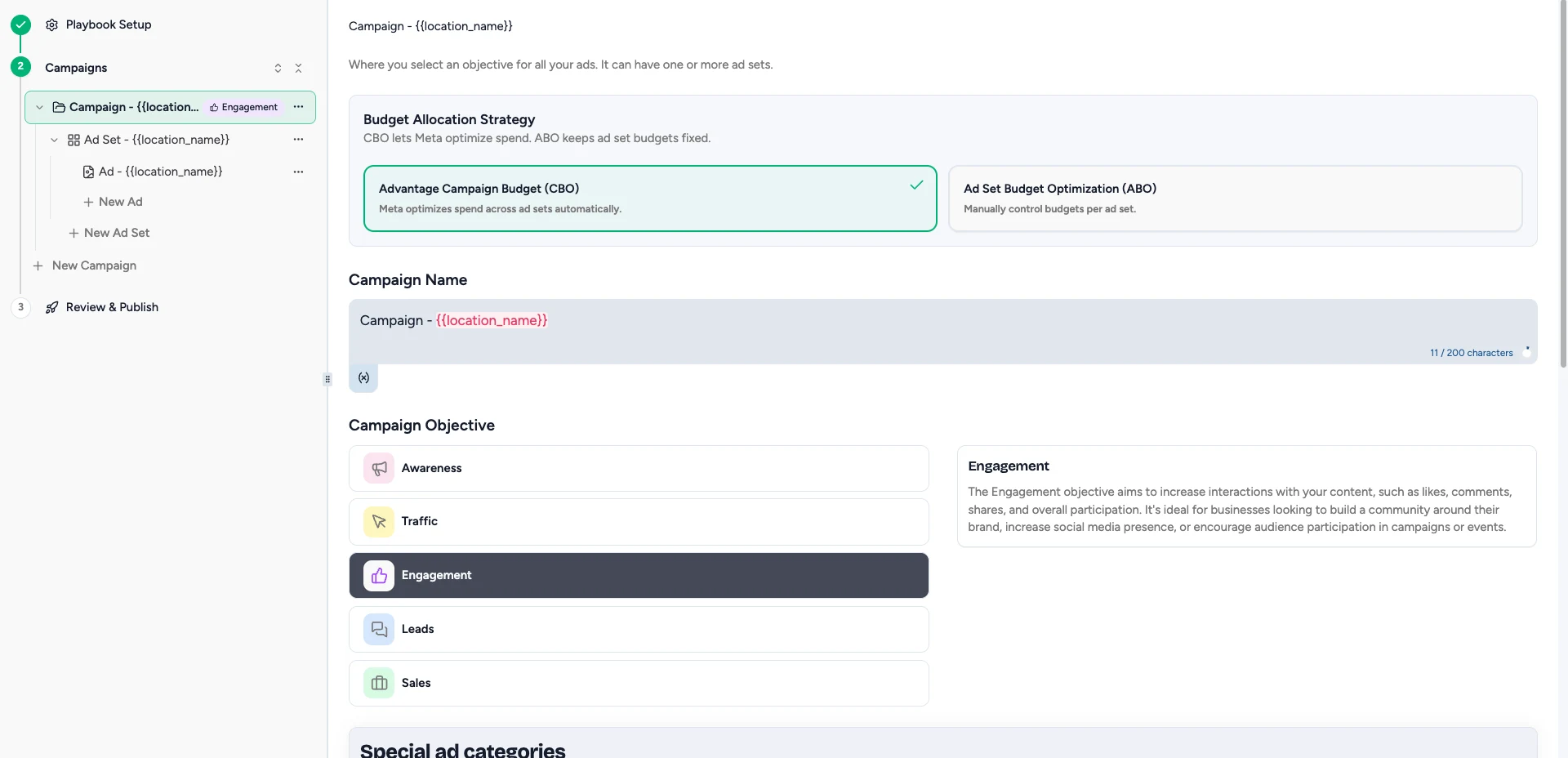
Choose the Engagement Objective
Pick Engagement, the thumbs-up icon: "Find people likely to interact with your business online."
Choose Your Destination
Where the conversation actually happens. Your options are on the ad itself, Messages (Messenger, Instagram Direct, or WhatsApp), or Website.
This choice changes everything downstream: which goals Meta offers you, whether you write a greeting, and what counts as a result in reporting.
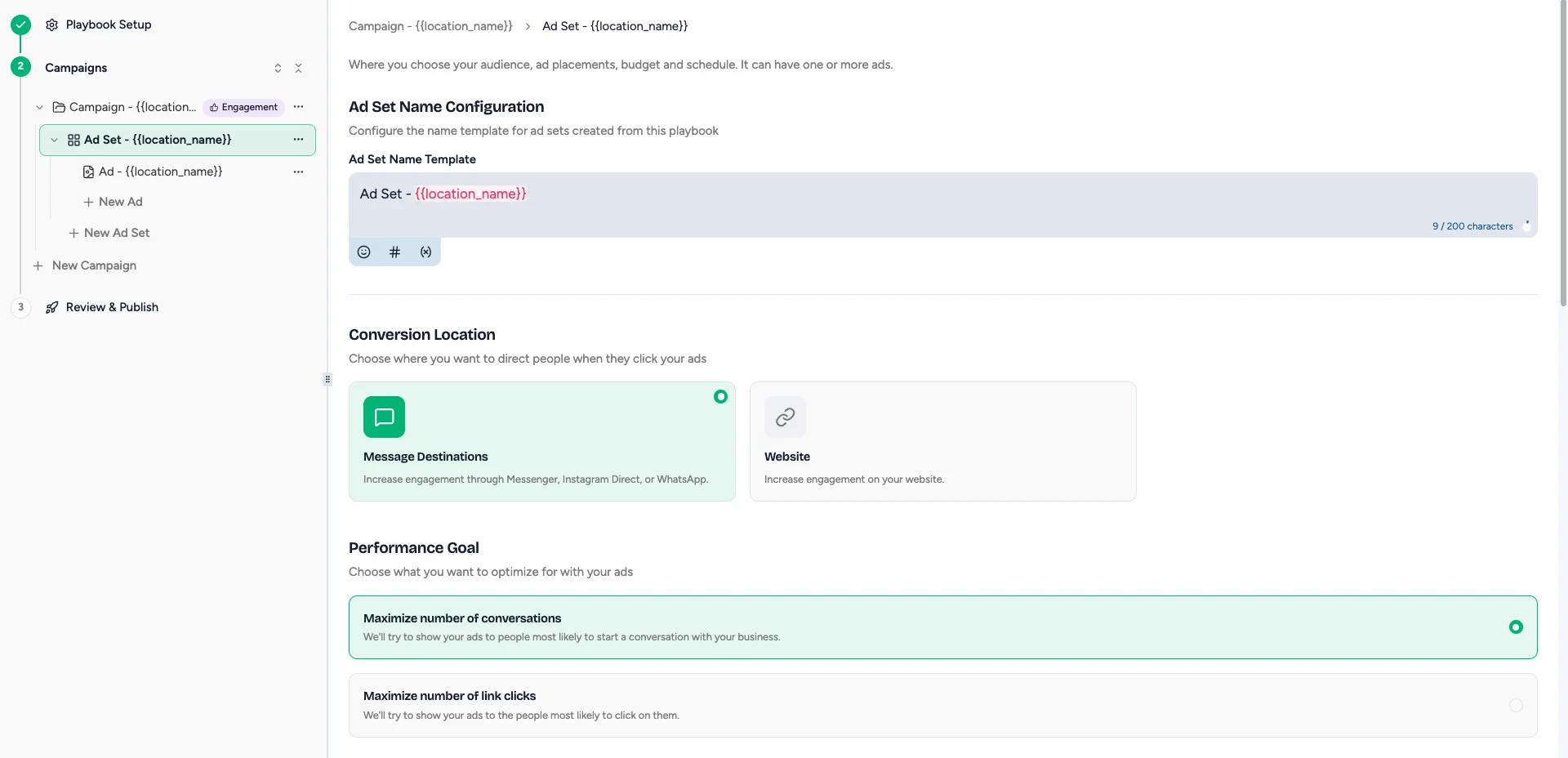
Pick What Meta Optimizes For
Set the performance goal for the destination you chose. Messages optimizes toward conversations or link clicks. Website optimizes toward conversions, landing page views, link clicks, impressions, or daily unique reach.
Add Your Creative
Media, headline, primary text, and call to action.
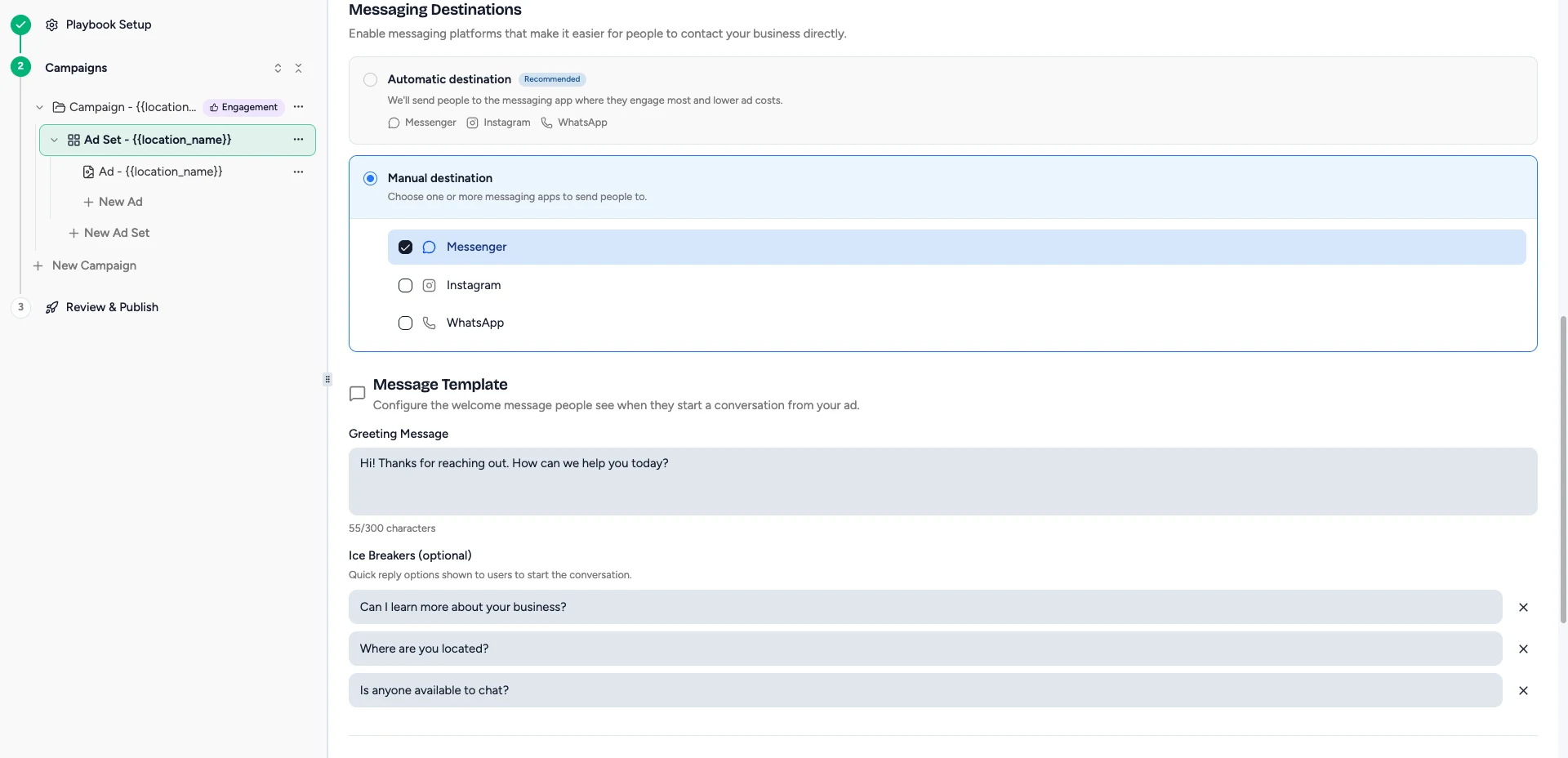
If you chose Messages, you also set a greeting and up to three ice breakers.
Set the Schedule and Default Budget
The dates the campaign runs, and the budget each location starts from.
Add Opt-In Questions
Optional. Anything you need each location to answer before they launch.
Publish to the Shop
The playbook becomes available to your locations.
Workspace Side: Opting In
Open the Playbook
Go to Playbooks, then Shop, and click the Engagement playbook. Click Opt in.
Confirm Your Workspace
Check that you are opting in the right location.
Review Dates and Set Your Budget
The dates come from the Hub. The budget is yours to set.
Answer Opt-In Questions
If your Hub added any.
Customize Your Messaging
If the playbook uses messaging, a Messaging Setup panel appears, prefilled with your Hub's greeting and ice breakers.
Rewrite them so they sound like your location. That is the point of this step.
Review the Preview
Check the ad as it will run for your location.
Confirm and Opt In
Confirm payment, then click Opt in. The campaign deploys on the playbook's start date.
Writing Ice Breakers That Get Replies
Ice breakers are the tappable replies that start the conversation for the customer. You get three, at 80 characters each.
The defaults ("Can I learn more about your business?", "Where are you located?") are safe but generic. They exist so the ad is never broken, not because they are the best set for your brand.
Better ones do one of two things. They qualify, like "Do you offer beginner classes?", so you know what someone wants before a human joins the thread. Or they move toward a booking, like "What times are open this week?", which starts the conversation a step further along.
Avoid anything answerable with yes or no. And avoid questions your team cannot answer quickly, because every ice breaker is a promise that someone is on the other end.
A conversations campaign only pays off if someone replies. If your locations do not watch their Messenger and Instagram inboxes, choose the Website destination instead.
Messaging ads need a connected Page. If ads are not delivering, see Page not connected.