Choose Where Ads Send People
Which landing page a Flamel ad uses, and when to set it per workspace, per audience type, per playbook, or per ad.
For Hub Admins
Hub admins set playbook and ad destinations. Each workspace's own website lives in its Ad Configuration and Workspace Variables.
Every ad sends people to one web address. Flamel picks it from the most specific place that has one, so you can set a location's normal page once and override it only for the campaigns that need something else.
Which URL Wins
Flamel uses the first of these that is filled in:
| Order | Setting | Where you set it |
|---|---|---|
| 1 | The ad's Destination URL | The ad, in the playbook's Ad Set step. See Creating Playbooks. |
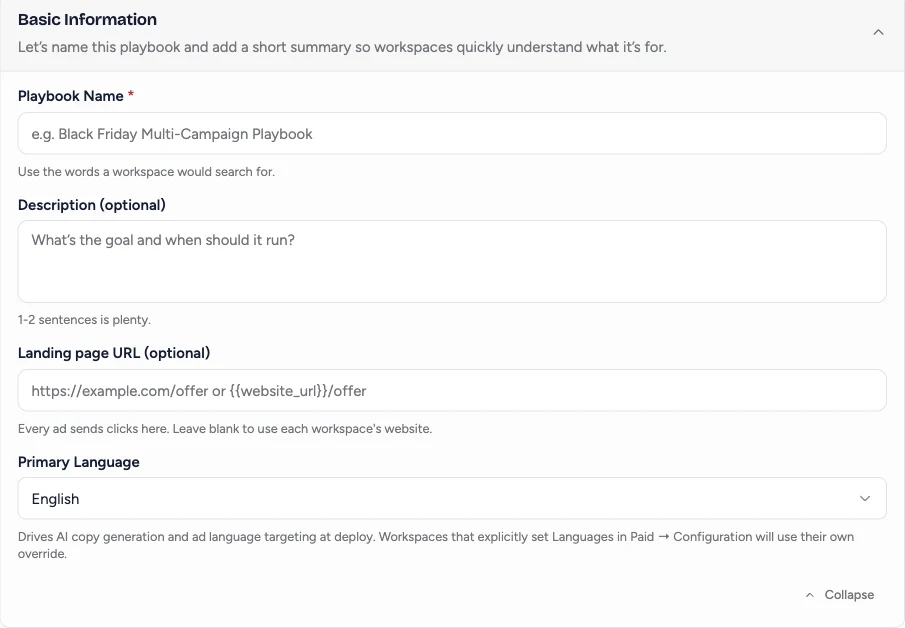
| 2 | The playbook's Landing page URL | Basic Information on the playbook. |
| 3 | The audience type's Website URL | The audience tab in Ad Configuration. |
| 4 | The Default tab's Website URL | The Default tab in Ad Configuration. |
| 5 | The workspace's Website URL | Workspace Variables. |
When the ad or the playbook sets the address, the ad's visible link matches it. Otherwise the visible link comes from the Display URL in Ad Configuration. Settings 1 and 2 accept variables, so {{website_url}}/fall-offer sends each location to its own version of a page.
Pick the Right Setting
| You want | Set this |
|---|---|
| Each location's own page, every time | Leave the playbook and ad blank. Keep each workspace's Website URL current. |
| One shared page for every location, such as a central membership page with a location picker | The playbook's Landing page URL, as a full address. |
| Each location's own version of a promotion page | The playbook's Landing page URL, as a template such as {{website_url}}/99-day. |
| One ad in a playbook to go somewhere different | That ad's Destination URL. |
| A whole audience, such as retargeting, to always land on one page | That audience type's Website URL. |
Templates only work when every location's page follows the same path. If your site's page slugs are inconsistent, use a full address or fix the slugs first.
What Workspaces Can Change
Workspaces cannot change the destination during a standard playbook opt-in, so the hub decides where each playbook sends people. Boosted post opt-ins are the exception: the workspace sets the link for the post it boosts.
Changing a playbook's URL affects new opt-ins only. Campaigns that are already running keep their current link, so contact support to update them.