Paid Social Ads
Run localized Meta and Google ad campaigns across your franchise network using Playbooks, Command Center, and Analytics.
Hub admins build a playbook campaign once, and workspaces opt in to deploy it to their own ad accounts in seconds. Command Center manages budgets, schedules, and creative across hundreds of campaigns from one view.
Before You Start
Each workspace needs a connected ad account and an Ad Configuration (audience type, targeting, and lead form) before it can deploy. Connect accounts on the Social Accounts page.
Quick Start: Launch a Campaign
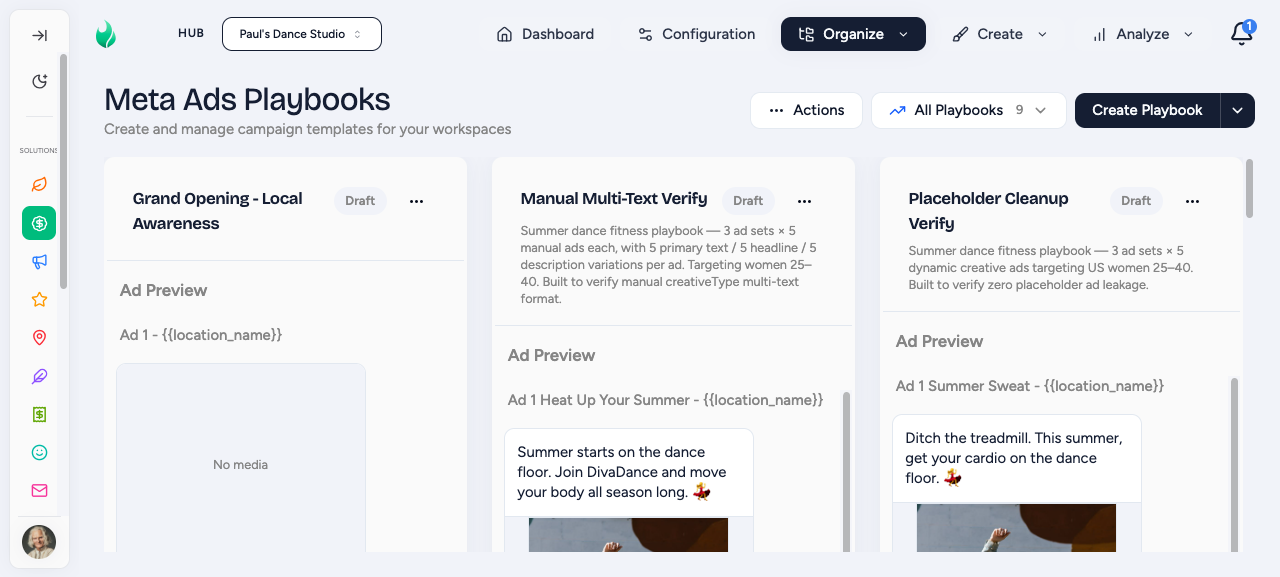
Hub admin builds a reusable Playbook (objective, ad sets, creative).
A workspace owner finds the playbook in the Shop and opts in.
Flamel deploys the campaign to the workspace's ad account. Track results in Paid Analytics.
Campaigns
Build reusable campaign blueprints that workspaces deploy with one click.
Hub admins: step-by-step playbook builder for objectives, ad sets, creative, and review.
Workspace owners: find a playbook in the Shop and launch your campaign.
Manage and Optimize
Bulk pause, adjust budgets, and shift schedules across all your campaigns at once.
Cross-workspace campaign performance: spend, results, and cost per result.
Ad Account Payment Alerts
Hub admins can turn on ad account payment alerts to hear about billing problems that can silently pause campaigns. When it is on, your hub gets an email whenever a workspace's Meta ad account hits a payment issue. Turn it on from Paid Social Ads > Health Checks, or from Notification Settings in the notifications bell at the top right of the app. Each user can also control their own copy with Allow Ad Account Payment Alert Emails in Profile.
Setup
Configure audience types, targeting, and lead forms for each workspace.
Set up Meta Instant Forms to capture leads inside Facebook and Instagram.
Connect and verify the Meta Pixel so conversions track from day one.