Custom Audiences
Sync the audiences you built in Meta into Flamel, target or exclude them per audience type, and build them across every location at once.
Flamel does not create audiences out of thin air. Meta owns them. You build an audience in Meta Ads Manager, Flamel syncs it, and then you point your audience types at it.
If an audience does not exist in Meta yet, syncing will not make it appear in Flamel.
Target and Exclude Audiences
Open Social Media Ads, then Configuration, then pick an audience type. Scroll to Custom Audiences.
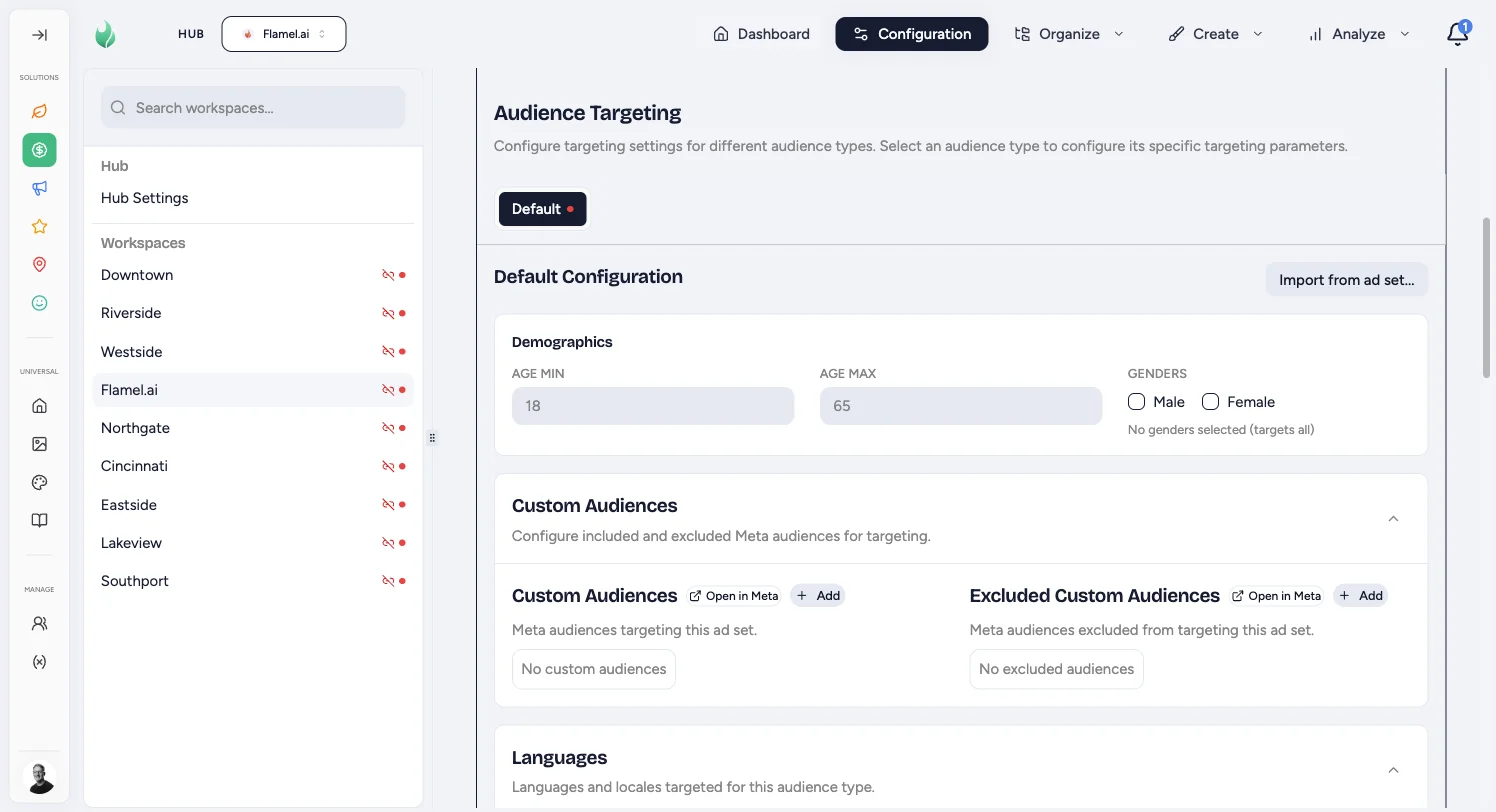
Use the two lists to include or exclude people:
Custom Audiences
The people you want to reach. Click Add and pick from the audiences Flamel synced from your Meta ad account. Use it for retargeting: site visitors, Facebook or Instagram engagers, and past leads.
Excluded Custom Audiences
The people you want to keep out. Anyone in this list will not see the ad, even if they match everything else. Use it to stop paying for people who already converted: excluding existing members from a new-client offer is the highest-value exclusion most locations miss.
Build a Missing Audience in Meta
If an audience is missing, click Open in Meta, build it in Ads Manager, then sync.
Saved Audiences Are a Different Thing
A custom audience is a list of people. A saved audience is a whole targeting setup you named in Meta: age, gender, interests, and any custom audiences it already includes.
Saved Audience sits just below the two lists above. Point the tab at one when you would rather reuse what Meta already holds than fill in demographics and detailed targeting here. It replaces the age range, gender, and detailed targeting at launch and merges the custom audiences above with its own. Location targeting still comes from Flamel.
See Ad Configurations for the selection steps and what happens when a saved audience goes missing. To decide which audiences belong on which audience type, see Build an Audience Strategy.
Build Audiences Across Every Location
Building audiences one location at a time does not scale: a 40-unit system means 40 trips through Ads Manager.
From Configuration, open the Manage menu.
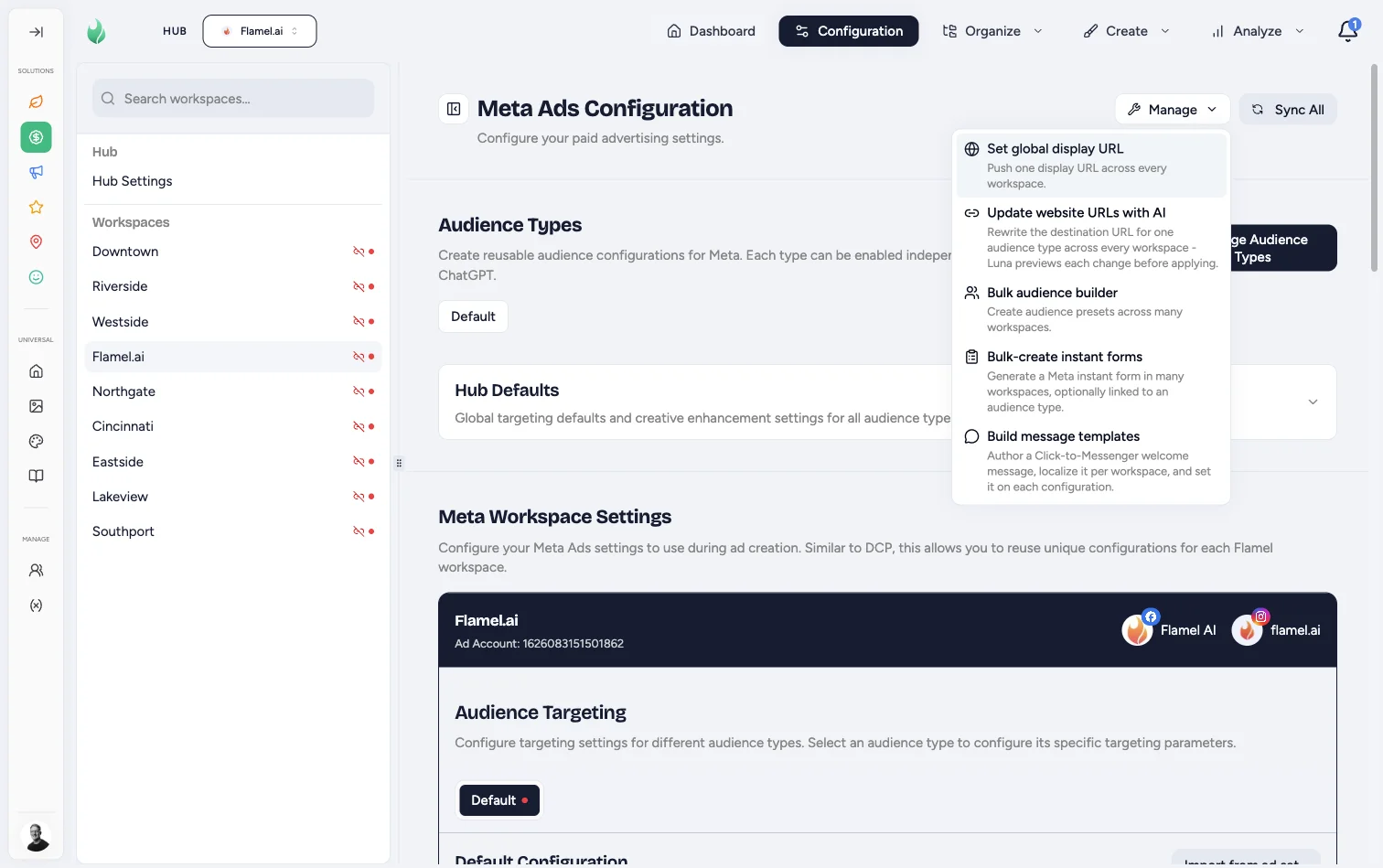
Choose Bulk audience builder.
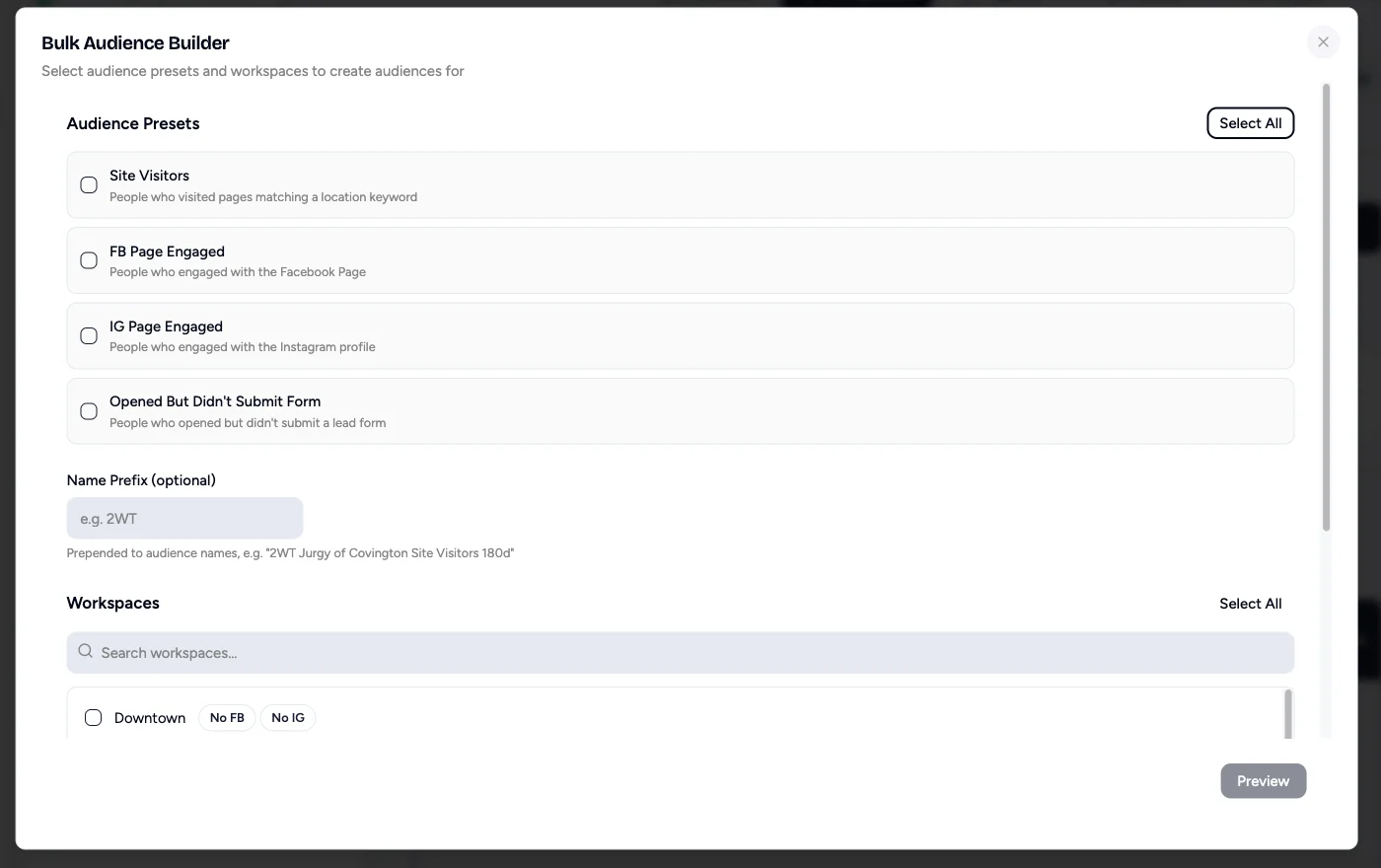
Pick Your Presets
Site Visitors covers people who visited pages matching a location keyword. FB Page Engaged and IG Page Engaged cover people who interacted with each location's social profiles. Opened But Didn't Submit Form catches people who started a lead form and abandoned it.
Add a Name Prefix
Optional, but recommended. A prefix like 2WT produces names such as "2WT Downtown Site Visitors 180d", which keeps Flamel-built audiences easy to find in Ads Manager.
Choose Workspaces
Select the locations to build for, or use Select all. Locations missing a connected Facebook or Instagram page are flagged, so you can see who will be skipped before you commit.
Preview, Then Build
Click Preview to see exactly what will be created in each ad account before anything is written to Meta.
The Bulk Audience Builder Is Experimental
We are still shaping this feature and we want franchise input on it.
Tell us what audiences you use and how they differ per location. That answer directly shapes which presets ship next.